
Siemens NX Tips & Tricks: Simplify Assembly – Create a Solid Body from a Complex Assembly
tt-1
Siemens NX Tipps & Tricks: Find the assembly in windows
01:48 Min
tt-2
Siemens NX Tipps & Tricks: Component Anchors
04:35 Min
tt-3
Siemens NX Tipps & Tricks: Change colour via expression
02:32 Min
tt-4
Siemens NX Tipps & Tricks: Create inner volume
02:37 Min
tt-5
Siemens NX Tipps & Tricks: Target value optimisation
04:31 Min
tt-6
Siemens NX Tipps & Tricks: Show center of gravity
03:16 Min
tt-7
Siemens NX Tipps & Tricks: Restore the rotation curve
01:46 Min
tt-8
Siemens NX Tipps & Tricks: Replace sketch curves
02:18 Min
tt-9
Siemens NX: Keyboard shortcuts
03:42 Min
tt-10
Siemens NX Tipps & Tricks: Save settings in menus with Favorites
05:33 Min
tt-11
Siemens NX Tipps & Tricks: Blend Pocket
06:15 Min
tt-12
Siemens NX Tipps & Tricks: Find overwritten dimensions
02:44 Min
tt-13
Siemens NX Tipps & Tricks: Remove unnecessary surface edges
01:42 Min
tt-14
Siemens NX Tipps & Tricks: Change-resistant selection with Feature Intersection Edges
05:53 Min
tt-15-1
Siemens NX Tipps & Tricks: Customer Defaults
11:22 Min
tt-15-2
Siemens NX Tipps & Tricks: Customer Defaults for your team
13:43 Min
tt-15-3
Siemens NX Tipps & Tricks: Change language
05:29 Min
TT-15-4
Siemens NX, how to set decimal places in sketch
05:48 Min
tt-16
Siemens NX Tipps & Tricks: How to Import and Export Step data
13:29 Min
tt-17
Siemens NX Tipps & Tricks: Multi-start trapezoid thread modeling
15:50 Min
tt-18
Siemens NX Tipps & Tricks: Parameter table sets
05:24 Min
TT-19-1
Siemens NX sketch: How to permanently ignore, unwanted relations.
2:53 Min
TT-19-2
Siemens NX Sketch | Mechanism Mode explained
04:26 Min
TT-20
Siemens NX Tips & Tricks: Simplify Assembly – Create a Solid Body from a Complex Assembly
10:41 Min
How to turn complex NX assemblies into clean, customer-ready solid bodies
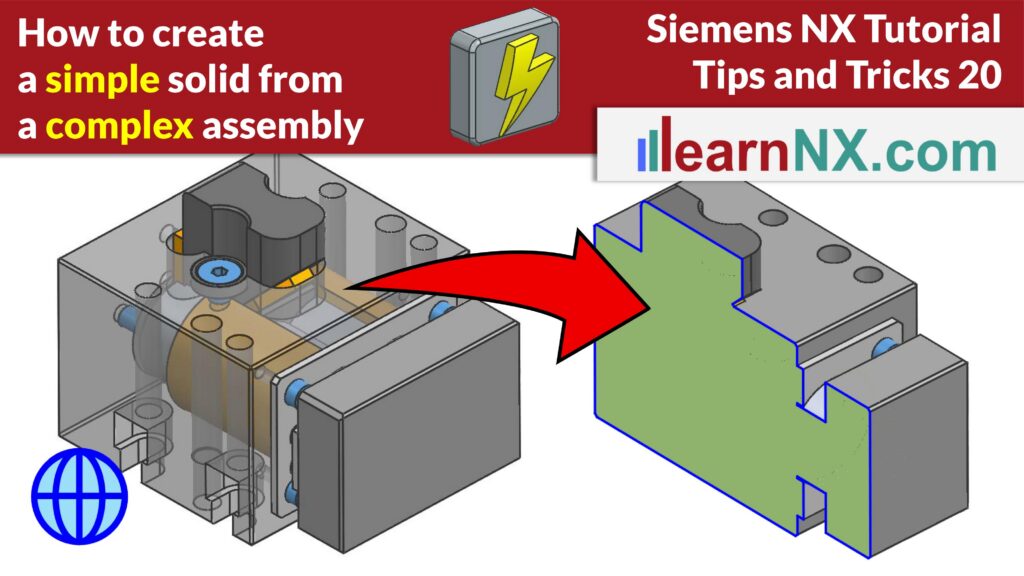
The Simplify Assembly command in Siemens NX lets you turn a complex, multi-component assembly into a single, non-parametric solid body. This is especially useful when you need to share outer geometry with a customer without exposing internal design details, for example before sending the model in STEP format.
In this Tips and Tricks tutorial, you’ll learn how to simplify both a simple pneumatic cylinder and a more complex assembly with several subassemblies. You’ll see how to remove small bodies, internal bodies, holes and voids, and how to keep or restore specific features using Select Face to Exclude and Select Face to Include. You’ll also learn how to update an already simplified solid body later on — adding new components or removing existing ones without starting over.